Support WBUR
How to make sure WBUR shows up in your Google searches
You may have noticed that the internet is changing.
The expansion of generative artificial intelligence is disrupting how fact-based, independent news (produced by humans) reaches the public. It’s harder to come across rigorous journalism from your local trusted news organizations — like WBUR.
WBUR is committed to providing news and information online for free — no subscription, no paywall. And like any news organization, we want to make it as easy as possible for you to find our work.
If you use Google, one way to ensure that its algorithm is surfacing the best and most relevant of WBUR’s journalism is to set WBUR as a “preferred source.”
Here’s two ways to opt in:
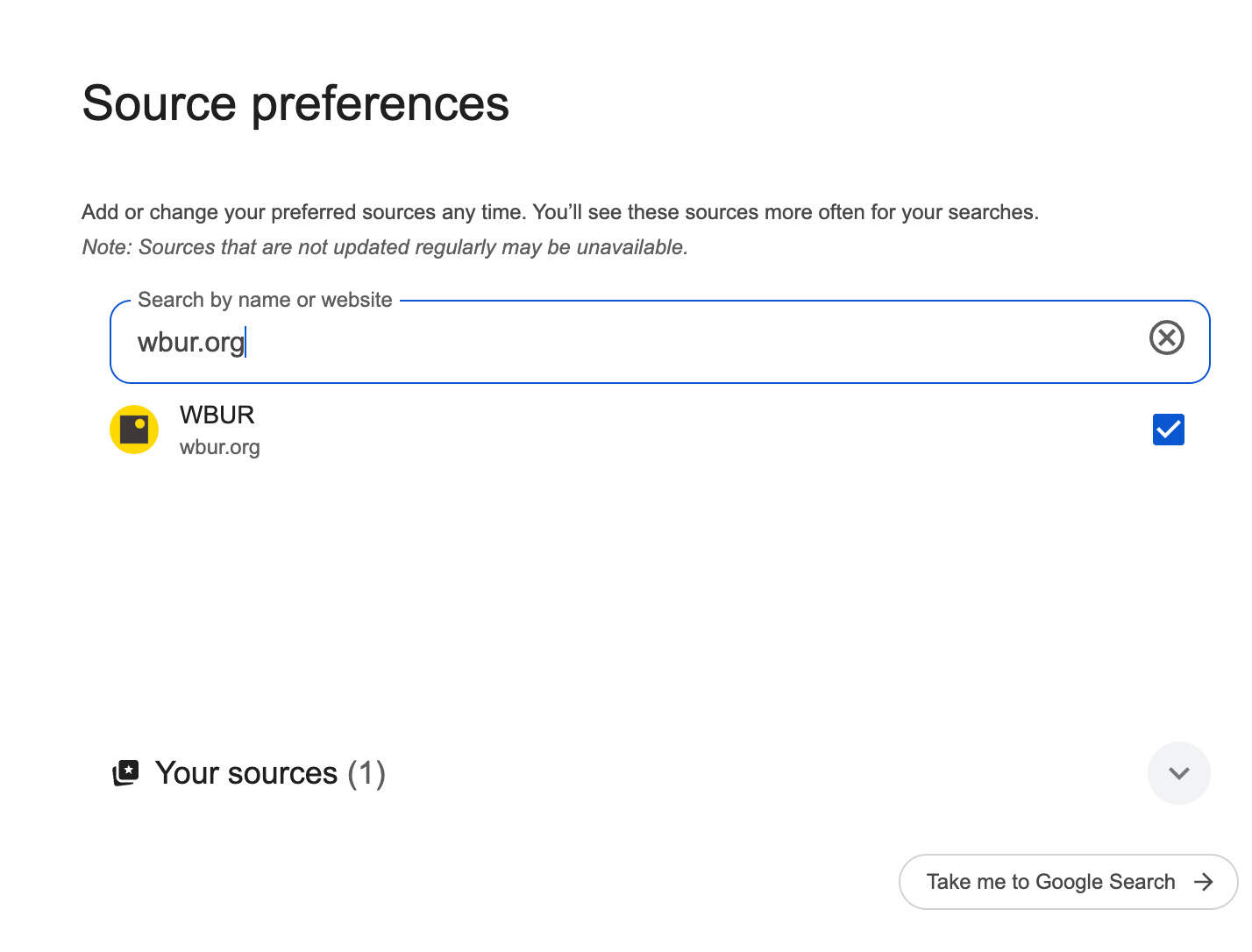
1. Navigate to this Google page (we’ve pre-populated WBUR if you follow that link), and check off the box indicating your preferred source.
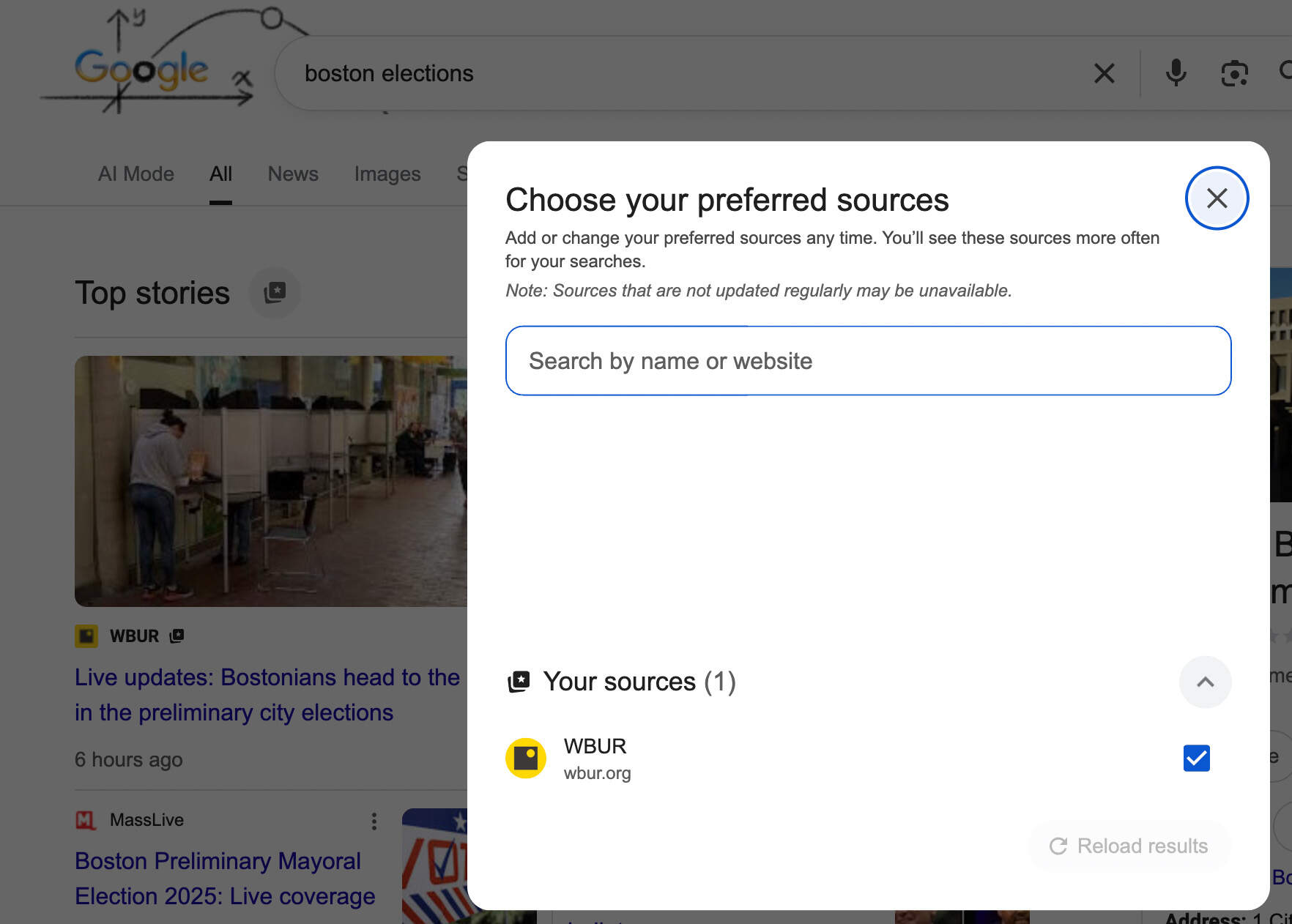
2. You can also do a general search of a news term, say “Boston Elections,” and click on the icon beside the heading “Top Stories.” The popup will let you search and identify a preferred source for your results.
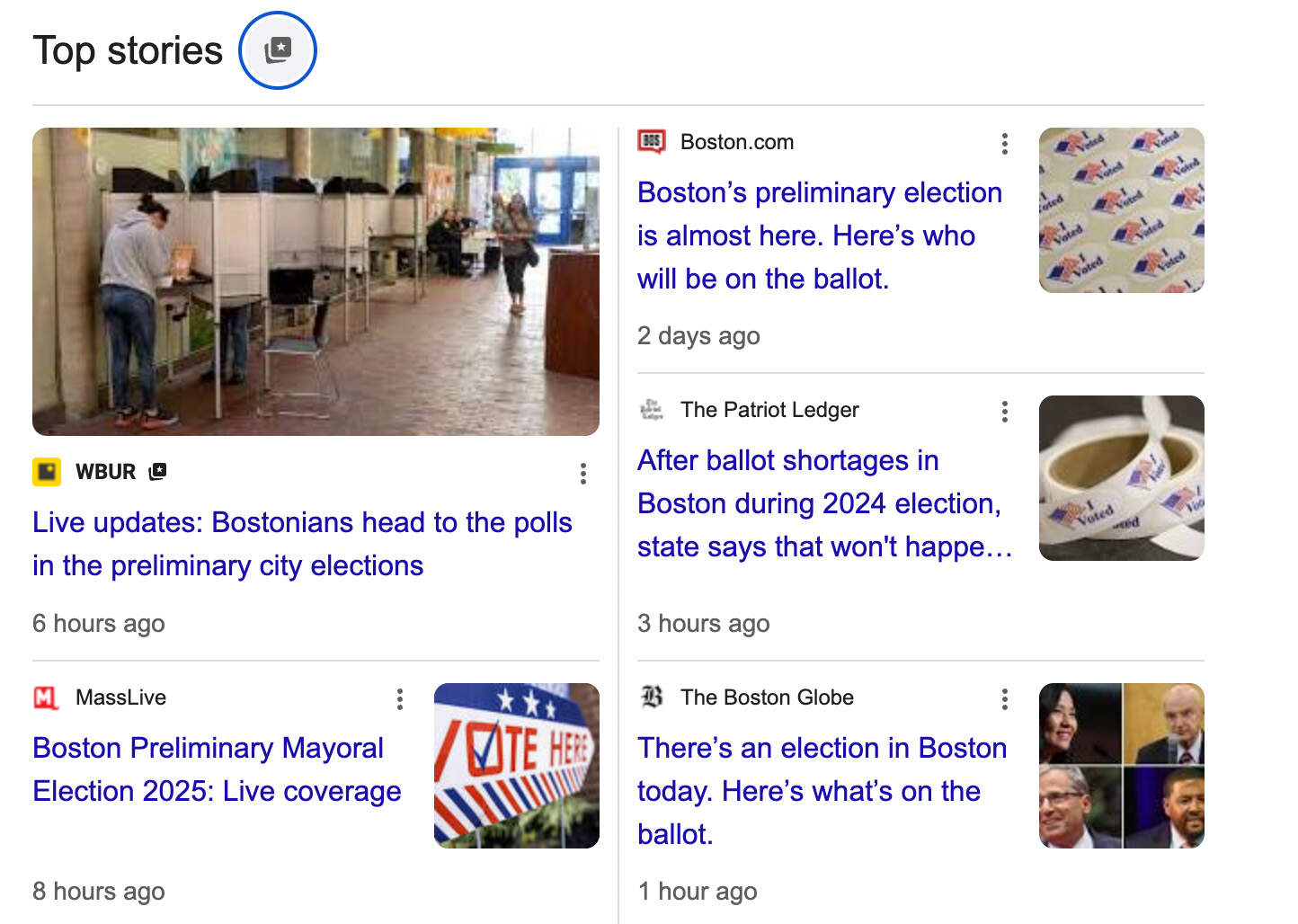
You will still see a variety of news sources, but WBUR material will show up higher. For example:
Why do this? It will help you see more of WBUR’s offerings, from our live Election Day results to our rigorous investigations to our guides to exploring the city, and so much more. It will also help Google prioritize your preferences, so what you are seeing is more tailored to your interests.
In turn, choosing WBUR as a preferred source will ensure Google understands our audiences and gives our fact-based, independent journalism more opportunities to be read.
Thank you for reading WBUR! Any questions, please feel free to drop us a line: info@wbur.org.